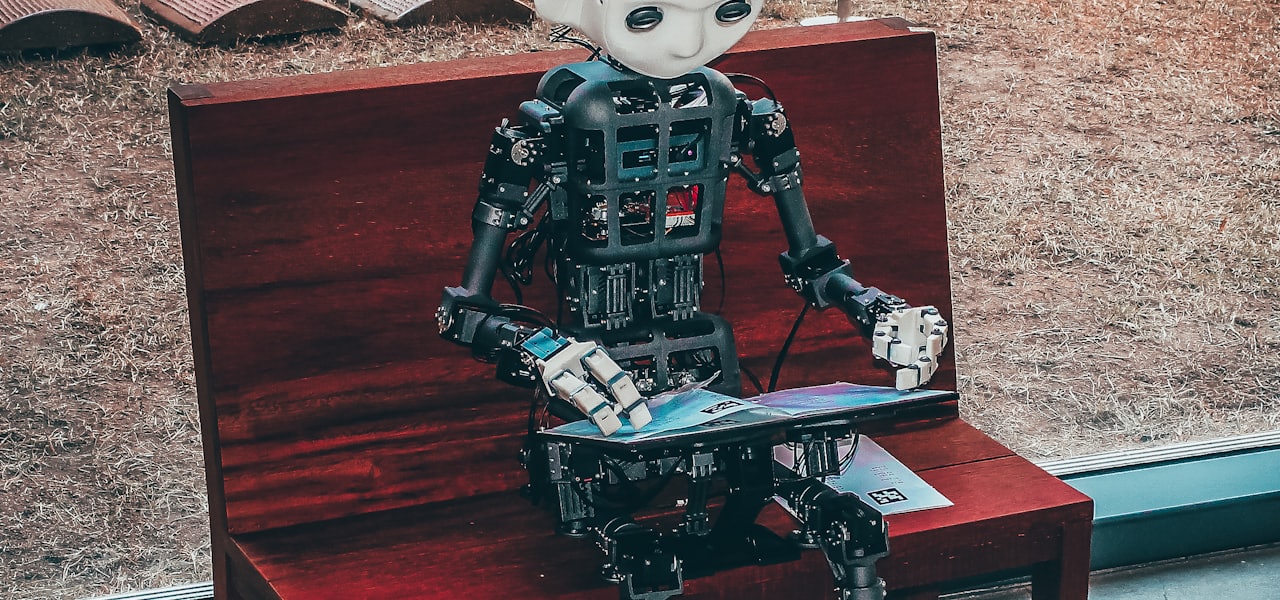
Speech-generating devices (SGDs), also known as voice output communication aids, are electronic augmentative and alternative communication (AAC) systems used to supplement or replace speech or writing for individuals with severe speech impairments, enabling them to verbally communicate. SGDs are important for people who have limited means of interacting verbally, as they allow individuals to become active participants in communication interactions. They are particularly helpful for patients with amyotrophic lateral sclerosis (ALS) but recently have been used for children with predicted speech deficiencies. There are several input and display methods for users of varying abilities to make use of SGDs. Some SGDs have multiple pages of symbols to accommodate a large number of utterances, and thus only a portion of the symbols available are visible at any one time, with the communicator navigating the various pages. Speech-generating devices can produce electronic voice output by using digitized recordings of natural speech or through speech synthesis—which may carry less emotional information but can permit the user to speak novel messages. The content, organization, and updating of the vocabulary on an SGD is influenced by a number of factors, such as the user's needs and the contexts that the device will be used in. The development of techniques to improve the available vocabulary and rate of speech production is an active research area. Vocabulary items should be of high interest to the user, be frequently applicable, have a range of meanings, and be pragmatic in functionality. There are multiple methods of accessing messages on devices: directly or indirectly, or using specialized access devices—although the specific access method will depend on the skills and abilities of the user. SGD output is typically much slower than speech, although rate enhancement strategies can increase the user's rate of output, resulting in enhanced efficiency of communication. The first known SGD was prototyped in the mid-1970s, and rapid progress in hardware and software development has meant that SGD capabilities can now be integrated into devices like smartphones. Notable users of SGDs include Stephen Hawking, Roger Ebert, Tony Proudfoot, and Pete Frates (founder of the ALS Ice Bucket Challenge). Speech-generating systems may be dedicated devices developed solely for AAC, or non-dedicated devices such as computers running additional software to allow them to function as AAC devices. == History == SGDs have their roots in early electronic communication aids. The first such aid was a sip-and-puff typewriter controller named the patient-operated selector mechanism (Naman) prototyped by Reg Maling in the United Kingdom in 1960. POSSUM scanned through a set of symbols on an illuminated display. Researchers at Delft University in the Netherlands created the lightspot-operated typewriter (LOT) in 1970, which made use of small movements of the head to point a small spot of light at a matrix of characters, each equipped with a photoelectric cell. Although it was commercially unsuccessful, the LOT was well received by its users. In 1966, Barry Romich, a freshman engineering student at Case Western Reserve University, and Ed Prentke, an engineer at Highland View Hospital in Cleveland, Ohio, formed a partnership, creating the Prentke Romich Company. In 1969, the company produced its first communication device, a typing system based on a discarded Teletype machine. In 1979, Mark Dahmke developed software for a vocal communication aid program using the Computalker CT-1 analog speech synthesizer with a microcomputer. The software utilized phonemes to generate speech, assisting individuals with communication impairments in constructing words and sentences. Dahmke's work contributed to the advancement of assistive technology for people with disabilities. Notably, he designed the "Vocabulary Management System" for Bill Rush, a student with cerebral palsy. This early speech synthesis technology facilitated improved communication for Rush and was featured in a 1980 issue of LIFE Magazine. Dahmke's contributions have influenced the development of augmentative and alternative communication (AAC) technologies. During the 1970s and early 1980s, several other companies emerged that have since become prominent manufacturers of SGDs. Toby Churchill founded Toby Churchill Ltd in 1973, after losing his speech following encephalitis. In the US, Dynavox (then known as Sentient Systems Technology) grew out of a student project at Carnegie-Mellon University, created in 1982 to help a young woman with cerebral palsy to communicate. Beginning in the 1980s, improvements in technology led to a greatly increased number, variety, and performance of commercially available communication devices, and a reduction in their size and price. Alternative methods of access such as Target Scanning (also known as eye pointing) calibrate the movement of a user's eyes to direct an SGD to produce the desired speech. Scanning, in which alternatives are presented to the user sequentially, became available on communication devices. Speech output possibilities included both digitized and synthesized speech. Rapid progress in hardware and software development continued, including projects funded by the European Community. The first commercially available dynamic screen speech-generating devices were developed in the 1990s. Software was developed that allowed the computer-based production of communication boards. High-tech devices have continued to become smaller and lighter, while increasing accessibility and capability; communication devices can be accessed using eye-tracking systems, perform as a computer for word-processing and Internet use, and as an environmental control device for independent access to other equipment such as TV, radio and telephones. Stephen Hawking came to be associated with the unique voice of his particular synthesis equipment. Hawking was unable to speak due to a combination of disabilities caused by ALS, and an emergency tracheotomy. In the past 20 or so years SGD have gained popularity amongst young children with speech deficiencies, such as autism, Down syndrome, and predicted brain damage due to surgery. Starting in the early 2000s, specialists saw the benefit of using SGDs not only for adults but for children, as well. Neuro-linguists found that SGDs were just as effective in helping children who were at risk for temporary language deficits after undergoing brain surgery as it is for patients with ALS. In particular, digitized SGDs have been used as communication aids for pediatric patients during the recovery process. == Access methods == There are many methods of accessing messages on devices: directly, indirectly, and with specialized access devices. Direct access methods involve physical contact with the system, by using a keyboard or a touch screen. Users accessing SGDs indirectly and through specialized devices must manipulate an object in order to access the system, such as maneuvering a joystick, head mouse, optical head pointer, light pointer, infrared pointer, or switch access scanner. The specific access method will depend on the skills and abilities of the user. With direct selection a body part, pointer, adapted mouse, joystick, or eye tracking could be used, whereas switch access scanning is often used for indirect selection. Unlike direct selection (e.g., typing on a keyboard, touching a screen), users of Target Scanning can only make selections when the scanning indicator (or cursor) of the electronic device is on the desired choice. Those who are unable to point typically calibrate their eyes to use eye gaze as a way to point and blocking as a way to select desired words and phrases. The speed and pattern of scanning, as well as the way items are selected, are individualized to the physical, visual and cognitive capabilities of the user. == Message construction == Augmentative and alternative communication is typically much slower than speech, with users generally producing 8–10 words per minute. Rate enhancement strategies can increase the user's rate of output to around 12–15 words per minute, and as a result enhance the efficiency of communication. In any given SGD there may be a large number of vocal expressions that facilitate efficient and effective communication, including greetings, expressing desires, and asking questions. Some SGDs have multiple pages of symbols to accommodate a large number of vocal expressions, and thus only a portion of the symbols available are visible at any one time, with the communicator navigating the various pages. Speech-generating devices generally display a set of selections either using a dynamically changing screen, or a fixed display. There are two main options for increasing the rate of communication for an SGD: encoding, and prediction. Encoding permits a user to produce a word, sentence or phrase using only on
Cybersecurity in space
Cybersecurity in space involves the defense of all space assets (e.g. navigation systems, satellites, ground antennas, networks, etc.). The security of space can be affected by attacks such as disruption, corruption as well as the destruction of depended-upon assets/collected data. Government (e.g. militaries) and non-government sectors (e.g. financial industries) have started to become more reliant on numerous space-based services. Due to the criticality of these services, space security experts have identified these assets as high-value targets (HVT) that can cause detrimental consequences to all of Earth. == Scope and definitions == Space assets are broken down by three sub-sectors: the space component, the ground component, and the individual user component. The architecture of space assets is extremely complex and allows for a frequent attack vector utilized, the disruption by radio frequency (RF) cyber-attacks. In 2020, a memorandum was published by President Donald Trump, Space Policy Directive‑5 (SPD‑5). It established principles to ensure the safeguarding of all space assets. In 2023, the National Institute of Standards and Technology’s (NIST) published IR 8270, Introduction to Cybersecurity for Commercial Satellite Operations. This report established a baseline risk-management framework (RMF) to be implemented into space operations. == History == During the Cold War in the 1950s-1960s, the United States and Russia entered what was called the “Space Race”. By 1957, the Soviet Union successfully launched the first satellite into space named Sputnik. By 1961, the first key milestone was accomplished when the Soviet Union’s Yuri Gagarin became the first human to orbit Earth. This was later followed by the first American, Alan Shepard, to be launched into space; this was followed by John Glenn becoming the first American to orbit Earth in 1962. In 1969, a pinnacle milestone was reached when Apollo 11 launched into space and Neil Armstrong became the first man to walk on the moon. As space operations furthered, Commercial off-the-shelf products became increasingly popular but resulted in a rapid increase to the cyber-attack surface. Public awareness of space security did not increase until 2022, when the Viasat KA-SAT incident occurred, resulting in the disruption of a large number of modems across Europe. The attack was later accredited to Russia by the U.S. and the U.K. Policy and standards started to rapidly increase by 2020. The establishment of SPD-5 was released in 2020 followed by asset hardening instructions in 2022, and NIST’s IR 8270 in 2023. It was not until 2025 that Europe published their own findings in the Space Threat Landscape 2025 Report. This document led to the EU’s security proposals and standards. == Threats == === Radio-frequency Interference and Global Navigation Satellite Systems (GNSS) Spoofing === Space services are highly dependent on RF links for systems such as GNSS, however, a consequence of this dependency on RF is denial of service and deception. In 2017, the Black Sea maritime event occurred when numerous ships were subject to spoofing. Space services depend on RF links susceptible to jamming (denial) and spoofing (deception), including for GNSS/Positioning, Navigation, and Timing (PNT). Annotated incidents include the 2017 Black Sea maritime spoofing event affecting numerous ships, and extensive aviation GNSS spoofing patterns surveyed in various regions during 2024–2025. === Network intrusion and malware === Cyber threats can intrude and infect assets with malware. They do this by finding misconfiguration vulnerabilities, remote-management interfaces, and/or supply-chain vulnerabilities mainly in ground networks and user terminals. When KA-SAT occurred, it resulted from bulk modem disturbances. Forensic analysts later suggested malicious management controls and wiper malware as the root cause. === Supply-chain and lifecycle risks === The outsource of COTS components, external vendors, and software defined payloads allowed for vulnerabilities to emerge in the System/Product Lifecycle. In response, EU recommended the implementation of lifecycle-wide controls as mitigating factors. === Espionage, disruption, and influence === As Advanced Persistent Threats (APTs), Global Positioning System (GPS) intervention, and information warfare increased, assets like transponders became more frequent targets of attack. == Noteworthy incidents == The Viasat KA‑SAT incident of 2022, where a large number of modems in Europe were disrupted, resulted in the loss of telemetry access to a significant amount of wind turbines in Germany. The mass GNSS deception of the Black Sea in 2017 affected numerous ships when they started to convey fake central locations in Russia. Between 2024 and 2025, there was a mass, repetitive aviation GNSS spoofing that affected the aircraft of various regions. == Standards, guidelines, and best practices == SPD‑5 (U.S.) – This established risk-based engineering, verifying and ensuring positive control, and the implementation of risk mitigation controls. NIST IR 8270 – This created a RMF for COTS satellites. CISA/FBI SATCOM Advisory (AA22‑076) – Provided guidance on hardening techniques such as least-privileged, access control, encryption, etc.). ENISA Space Threat Landscape 2025 – It established the categorization of assets to organize threats, ensuring the observation of system/product lifecycle, and an RMF for COTS satellites. ECSS‑E‑ST‑80C (2024) – This established a standard for securing lifecycles in space, covering all segments (e.g. ground, launch, etc.). == Regulation and governance == As of 2025, there is no international regulations established for space assets, but the U.S., EU, and ESA institutional initiatives have published standards to address security concerns. The U.S. implemented SPD-5 and the Federal Communications Commission (FCC); the FCC addressed orbital debris. While the EU created standards to address technological mandates and support the implementation of NIS2. Lastly, the ESA created a special operations center to safeguard their satellites. International governance is still evolving, but forums have been held by the United Nations Committee on the Peaceful Uses of Outer Space. International conversations under forums such as the UN Committee on the Peaceful Uses of Outer Space (COPUOS) progressively note the cyber–space safety relationship, though formal global norms specific to space cybersecurity continue evolving. == Risk management approaches == Through RMF, mitigation controls have been implemented to reduce the risk of exploitation while increasing the security of space. Controls addressing mitigation include proper configuration, system hardening, zero-trust architectures, encryption, etc. Both the government and industries have placed an emphasis on incident response procedures to identify, contain, and remediate breaches.
Multisample anti-aliasing
Multisample anti-aliasing (MSAA) is a type of spatial anti-aliasing, a technique used in computer graphics to remove jaggies. It is an optimization of supersampling, where only the necessary parts are sampled more. Jaggies are only noticed in a small area, so the area is quickly found, and only that is anti-aliased. == Definition == The term generally refers to a special case of supersampling. Initial implementations of full-scene anti-aliasing (FSAA) worked conceptually by simply rendering a scene at a higher resolution, and then downsampling to a lower-resolution output. Most modern GPUs are capable of this form of anti-aliasing, but it greatly taxes resources such as texture, bandwidth, and fillrate. (If a program is highly TCL-bound or CPU-bound, supersampling can be used without much performance hit.) According to the OpenGL GL_ARB_multisample specification, "multisampling" refers to a specific optimization of supersampling. The specification dictates that the renderer evaluate the fragment program once per pixel, and only "truly" supersample the depth and stencil values. (This is not the same as supersampling but, by the OpenGL 1.5 specification, the definition had been updated to include fully supersampling implementations as well.) In graphics literature in general, "multisampling" refers to any special case of supersampling where some components of the final image are not fully supersampled. The lists below refer specifically to the ARB_multisample definition. == Description == In supersample anti-aliasing, multiple locations are sampled within every pixel, and each of those samples is fully rendered and combined with the others to produce the pixel that is ultimately displayed. This is computationally expensive, because the entire rendering process must be repeated for each sample location. It is also inefficient, as aliasing is typically only noticed in some parts of the image, such as the edges, whereas supersampling is performed for every single pixel. In multisample anti-aliasing, if any of the multi sample locations in a pixel is covered by the triangle being rendered, a shading computation must be performed for that triangle. However this calculation only needs to be performed once for the whole pixel regardless of how many sample positions are covered; the result of the shading calculation is simply applied to all of the relevant multi sample locations. In the case where only one triangle covers every multi sample location within the pixel, only one shading computation is performed, and these pixels are little more expensive than (and the result is no different from) the non-anti-aliased image. This is true of the middle of triangles, where aliasing is not an issue. (Edge detection can reduce this further by explicitly limiting the MSAA calculation to pixels whose samples involve multiple triangles, or triangles at multiple depths.) In the extreme case where each of the multi sample locations is covered by a different triangle, a different shading computation will be performed for each location and the results then combined to give the final pixel, and the result and computational expense are the same as in the equivalent supersampled image. The shading calculation is not the only operation that must be performed on a given pixel; multisampling implementations may variously sample other operations such as visibility at different sampling levels. == Advantages == The pixel shader usually only needs to be evaluated once per pixel for every triangle covering at least one sample point. The edges of polygons (the most obvious source of aliasing in 3D graphics) are anti-aliased. Since multiple subpixels per pixel are sampled, polygonal details smaller than one pixel that might have been missed without MSAA can be captured and made a part of the final rendered image if enough samples are taken. == Disadvantages == === Alpha testing === Alpha testing is a technique common to older video games used to render translucent objects by rejecting pixels from being written to the framebuffer. If the alpha value of a translucent fragment (pixel) is below a specified threshold, it will be discarded. Because this is performed on a pixel by pixel basis, the image does not receive the benefits of multi-sampling (all of the multisamples in a pixel are discarded based on the alpha test) for these pixels. The resulting image may contain aliasing along the edges of transparent objects or edges within textures, although the image quality will be no worse than it would be without any anti-aliasing. Translucent objects that are modelled using alpha-test textures will also be aliased due to alpha testing. This effect can be minimized by rendering objects with transparent textures multiple times, although this would result in a high performance reduction for scenes containing many transparent objects. === Aliasing === Because multi-sampling calculates interior polygon fragments only once per pixel, aliasing and other artifacts will still be visible inside rendered polygons where fragment shader output contains high frequency components. === Performance === While less performance-intensive than SSAA (supersampling), it is possible in certain scenarios (scenes heavy in complex fragments) for MSAA to be multiple times more intensive for a given frame than post processing anti-aliasing techniques such as FXAA, SMAA and MLAA. Early techniques in this category tend towards a lower performance impact, but suffer from accuracy problems. More recent post-processing based anti-aliasing techniques such as temporal anti-aliasing (TAA), which reduces aliasing by combining data from previously rendered frames, have seen the reversal of this trend, as post-processing AA becomes both more versatile and more expensive than MSAA, which cannot antialias an entire frame alone. == Sampling methods == === Point sampling === In a point-sampled mask, the coverage bit for each multisample is only set if the multisample is located inside the rendered primitive. Samples are never taken from outside a rendered primitive, so images produced using point-sampling will be geometrically correct, but filtering quality may be low because the proportion of bits set in the pixel's coverage mask may not be equal to the proportion of the pixel that is actually covered by the fragment in question. === Area sampling === Filtering quality can be improved by using area sampled masks. In this method, the number of bits set in a coverage mask for a pixel should be proportionate to the actual area coverage of the fragment. This will result in some coverage bits being set for multisamples that are not actually located within the rendered primitive, and can cause aliasing and other artifacts. == Sample patterns == === Regular grid === A regular grid sample pattern, where multisample locations form an evenly spaced grid throughout the pixel, is easy to implement and simplifies attribute evaluation (i.e. setting subpixel masks, sampling color and depth). This method is computationally expensive due to the large number of samples. Edge optimization is poor for screen-aligned edges, but image quality is good when the number of multisamples is large. === Sparse regular grid === A sparse regular grid sample pattern is a subset of samples that are chosen from the regular grid sample pattern. As with the regular grid, attribute evaluation is simplified due to regular spacing. The method is less computationally expensive due to having a fewer samples. Edge optimization is good for screen aligned edges, and image quality is good for a moderate number of multisamples. === Stochastic sample patterns === A stochastic sample pattern is a random distribution of multisamples throughout the pixel. The irregular spacing of samples makes attribute evaluation complicated. The method is cost efficient due to low sample count (compared to regular grid patterns). Edge optimization with this method, although sub-optimal for screen aligned edges. Image quality is excellent for a moderate number of samples. == Quality == Compared to supersampling, multisample anti-aliasing can provide similar quality at higher performance, or better quality for the same performance. Further improved results can be achieved by using rotated grid subpixel masks. The additional bandwidth required by multi-sampling is reasonably low if Z and colour compression are available. Most modern GPUs support 2×, 4×, and 8× MSAA samples. Higher values result in better quality, but are slower.
Computer appliance
A computer appliance is a computer system with a combination of hardware, software, or firmware that is specifically designed to provide a particular computing resource. Such devices became known as appliances because of the similarity in role or management to a home appliance, which are generally closed and sealed, and are not serviceable by the user or owner. The hardware and software are delivered as an integrated product and may even be pre-configured before delivery to a customer, to provide a turn-key solution for a particular application. Unlike general purpose computers, appliances are generally not designed to allow the customers to change the software and the underlying operating system, or to flexibly reconfigure the hardware. Another form of appliance is the virtual appliance, which has similar functionality to a dedicated hardware appliance, but is distributed as a software virtual machine image for a hypervisor-equipped device. == Overview == Traditionally, software applications run on top of a general-purpose operating system, which uses the hardware resources of the computer (primarily memory, disk storage, processing power, and networking bandwidth) to meet the computing needs of the user. The main issue with the traditional model is related to complexity. It is complex to integrate the operating system and applications with a hardware platform, and complex to support it afterwards. By tightly constraining the variations of the hardware and software, the appliance becomes easily deployable, and can be used without nearly as wide (or deep) IT knowledge. Additionally, when problems and errors appear, the supporting staff very rarely needs to explore them deeply to understand the matter thoroughly. The staff needs merely training on the appliance management software to be able to resolve most of problems. In all forms of the computer appliance model, customers benefit from easy operations. The appliance has exactly one combination of hardware and operating system and application software, which has been pre-installed at the factory. This prevents customers from needing to perform complex integration work, and dramatically simplifies troubleshooting. In fact, this "turnkey operation" characteristic is the driving benefit that customers seek when purchasing appliances. To be considered an appliance, the (hardware) device needs to be integrated with software, and both are supplied as a package. This distinguishes appliances from "home grown" solutions, or solutions requiring complex implementations by integrators or value-added resellers (VARs). The appliance approach helps to decouple the various systems and applications, for example in the data center. Once a resource is decoupled, in theory it can be also centralized to become shared among many systems, centrally managed and optimized, all without requiring changes to any other system. == Tradeoffs of the computer appliance approach == The major disadvantage of deploying a computer appliance is that since they are designed to supply a specific resource, they most often include a customized operating system running over specialized hardware, neither of which are likely to be compatible with the other systems previously deployed. Customers lose flexibility. One may believe that a proprietary embedded operating system, or operating system within an application, can make the appliance much more secure from common cyber attacks. However, the opposite is true. Security by obscurity is a poor security decision, and appliances are often plagued by security issues as evidenced by the proliferation of IoT devices. == Types of appliances == The variety of computer appliances reflects the wide range of computing resources they provide to applications. Some examples: Storage appliances provide large amounts of storage, often available to many machines on the network. See Network-attached storage and Storage area network. Network appliances are general purpose routers which may also provide firewall protection, Transport Layer Security (TLS), messaging, access to specialized networking protocols (like the ebXML Message Service) and bandwidth multiplexing for the multiple systems they front-end. Backup and disaster recovery appliances computer appliances that are integrated backup software and backup targets, sometimes with hypervisors to support local DR of protected servers. They are often a gateway to a full DRaaS solution. Firewall and Security appliances Dedicated network appliances that are designed to protect computer networks from unwanted traffic. IIoT and MES Gateway appliances Computer appliances that are designed to translate data bidirectionally between control systems and enterprise systems. Proprietary, embedded, firmware applications running on the appliance use point-to-point connections to translate data between field devices in their native automation protocols and MES systems through their APIs, ODBC, or RESTful interfaces. Anti-spam appliances for e-mail spam Software appliances A single application server appliance, with just enough operating system (JeOS) for it to run. Virtual machine appliances consist of a "hypervisor style" embedded operating system running on appliance hardware. The hypervisor layer is matched to the hardware of the appliance, and cannot be varied by the customer, but the customer may load other operating systems and applications onto the appliance in the form of virtual machines. == Consumer appliances == Aside from its deployment within data centers, many computer appliances are directly used by the general public. These include: Digital video recorder Residential gateway Network-attached storage (NAS) Video game console Consumer uses stress the need for an appliance to have easy installation, configuration, and operation, with little or no technical knowledge being necessary. == Appliances in industrial automation == The world of industrial automation has been rich in appliances. These appliances have been hardened to withstand temperature and vibration extremes. These appliances are also highly configurable, enabling customization to meet a wide variety of applications. The key benefits of an appliance in automation are: Reduced downtime - a failed appliance is typically replaced with a COTS replacement and its task is quickly and easily reloaded from a backup. Highly scalable - appliances are typically targeted solutions for an area of a plant or process. As the requirements change, scalability is achieved through the installation of another appliance. Automation concepts are easily replicated throughout the enterprise by standardizing on appliances to perform the needed tasks, as opposed to the development of custom automation schemes for each task. Low TCO (total cost of ownership) - appliances are developed, tested and supported by automation product vendors and undergo a much broader level of quality testing than custom designed automation solutions. The use of appliances in automation reduce the level of testing needed in each individual application. Reduced design time - appliances perform specific functions and although they are highly configurable, they are typically self documenting. This enables appliance based solutions to be transferred from engineer to engineer with minimal need for training and documentation. Types of automation appliances: PLC (programmable logic controller) - Programmable logic controllers are appliances that are typically used for discrete control and offer a wide range of Input and Output options. They are configured through standardized programming languages such as IEC-1131. PID (proportional–integral–derivative controller) - PID controllers are appliances that monitor a process variable and, based on an error term, effect change on a control output (manipulated variable) to drive the process variable to a setpoint. PAC (programmable automation controller) - Programmable automation controllers are appliances that embody properties of both PLCs and PID controllers enabling the integration of both analog and discrete control. Universal gateway - A universal gateway appliance has the ability to communicate with a variety of devices through their respective communication protocols, and will affect data transactions between them. This in increasingly important as manufacturing strives to improve agility, quality, production rates, production costs and reduce downtime through enhanced M2M (machine to machine) communications. EATMs (Enterprise Appliance Transaction Modules) - Enterprise appliance transaction modules are appliances that affect data transactions from plant floor automation systems to enterprise business systems. They communicate to plant floor equipment through various vendor automation protocols, and communicate to business systems through database communication protocols such as JMS (Java Message Service) and SQL (Structured Query Language). == Internal structure == There are several
Framebuffer
A framebuffer (frame buffer, or sometimes framestore) is a portion of random-access memory (RAM) containing a bitmap that drives a video display. It is a memory buffer containing data representing all the pixels in a complete video frame. Modern video cards contain framebuffer circuitry in their cores. This circuitry converts an in-memory bitmap into a video signal that can be displayed on a computer monitor. In computing, a screen buffer is a part of computer memory used by a computer application for the representation of the content to be shown on the computer display. The screen buffer may also be called the video buffer, the regeneration buffer, or regen buffer for short. The phrase "screen buffer” refers to a logical function, while video memory refers to a hardware storage location. In particular, the screen buffer may be placed in the main RAM, the video memory, or some other hardware location. To reduce latency and avoid screen tearing, multiple frames can be buffered, and this technique is called multiple buffering. When this is so, at any time, only one frame would be visible, and the others would not be. The currently invisible frames are located in the off-screen buffer. The information in the buffer typically consists of color values for every pixel to be shown on the display. Color values are commonly stored in 1-bit binary (monochrome), 4-bit palettized, 8-bit palettized, 16-bit high color and 24-bit true color formats. An additional alpha channel is sometimes used to retain information about pixel transparency. The total amount of memory required for the framebuffer depends on the resolution of the output signal, and on the color depth or palette size. == History == Computer researchers had long discussed the theoretical advantages of a framebuffer but were unable to produce a machine with sufficient memory at an economically practicable cost. In 1947, the Manchester Baby computer used a Williams tube, later the Williams-Kilburn tube, to store 1024 bits on a cathode-ray tube (CRT) memory and displayed on a second CRT. Other research labs were exploring these techniques with MIT Lincoln Laboratory achieving a 4096 display in 1950. A color-scanned display was implemented in the late 1960s, called the Brookhaven RAster Display (BRAD), which used a drum memory and a television monitor. In 1969, A. Michael Noll of Bell Telephone Laboratories, Inc. implemented a scanned display with a frame buffer, using magnetic-core memory. A year or so later, the Bell Labs system was expanded to display an image with a color depth of three bits on a standard color TV monitor. The vector graphics used in the computer had to be converted for the scanned graphics of a TV display. In the early 1970s, the development of MOS memory (metal–oxide–semiconductor memory) integrated-circuit chips, particularly high-density DRAM (dynamic random-access memory) chips with at least 1 kb memory, made it practical to create, for the first time, a digital memory system with framebuffers capable of holding a standard video image. This led to the development of the SuperPaint system by Richard Shoup at Xerox PARC in 1972. Shoup was able to use the SuperPaint framebuffer to create an early digital video-capture system. By synchronizing the output signal to the input signal, Shoup was able to overwrite each pixel of data as it shifted in. Shoup also experimented with modifying the output signal using color tables. These color tables allowed the SuperPaint system to produce a wide variety of colors outside the range of the limited 8-bit data it contained. This scheme would later become commonplace in computer framebuffers. In 1974, Evans & Sutherland released the first commercial framebuffer, the Picture System, costing about $15,000. It was capable of producing resolutions of up to 512 by 512 pixels in 8-bit grayscale, and became a boon for graphics researchers who did not have the resources to build their own framebuffer. The New York Institute of Technology would later create the first 24-bit color system using three of the Evans & Sutherland framebuffers. Each framebuffer was connected to an RGB color output (one for red, one for green and one for blue), with a Digital Equipment Corporation PDP 11/04 minicomputer controlling the three devices as one. In 1975, the UK company Quantel produced the first commercial full-color broadcast framebuffer, the Quantel DFS 3000. It was first used in TV coverage of the 1976 Montreal Olympics to generate a picture-in-picture inset of the Olympic flaming torch while the rest of the picture featured the runner entering the stadium. The rapid improvement of integrated-circuit technology made it possible for many of the home computers of the late 1970s to contain low-color-depth framebuffers. Today, nearly all computers with graphical capabilities utilize a framebuffer for generating the video signal. Amiga computers, created in the 1980s, featured special design attention to graphics performance and included a unique Hold-And-Modify framebuffer capable of displaying 4096 colors. Framebuffers also became popular in high-end workstations and arcade system boards throughout the 1980s. SGI, Sun Microsystems, HP, DEC and IBM all released framebuffers for their workstation computers in this period. These framebuffers were usually of a much higher quality than could be found in most home computers, and were regularly used in television, printing, computer modeling and 3D graphics. Framebuffers were also used by Sega for its high-end arcade boards, which were also of a higher quality than on home computers. == Display modes == Framebuffers used in personal and home computing often had sets of defined modes under which the framebuffer can operate. These modes reconfigure the hardware to output different resolutions, color depths, memory layouts and refresh rate timings. In the world of Unix machines and operating systems, such conveniences were usually eschewed in favor of directly manipulating the hardware settings. This manipulation was far more flexible in that any resolution, color depth and refresh rate was attainable – limited only by the memory available to the framebuffer. An unfortunate side-effect of this method was that the display device could be driven beyond its capabilities. In some cases, this resulted in hardware damage to the display. More commonly, it simply produced garbled and unusable output. Modern CRT monitors fix this problem through the introduction of protection circuitry. When the display mode is changed, the monitor attempts to obtain a signal lock on the new refresh frequency. If the monitor is unable to obtain a signal lock or if the signal is outside the range of its design limitations, the monitor will ignore the framebuffer signal and possibly present the user with an error message. LCD monitors tend to contain similar protection circuitry, but for different reasons. Since the LCD must digitally sample the display signal (thereby emulating an electron beam), any signal that is out of range cannot be physically displayed on the monitor. == Color palette == Framebuffers have traditionally supported a wide variety of color modes. Due to the expense of memory, most early framebuffers used 1-bit (2 colors per pixel), 2-bit (4 colors), 4-bit (16 colors) or 8-bit (256 colors) color depths. The problem with such small color depths is that a full range of colors cannot be produced. The solution to this problem was indexed color, which adds a lookup table to the framebuffer. Each color stored in framebuffer memory acts as a color index. The lookup table serves as a palette with a limited number of different colors, while the rest is used as an index table. Here is a typical indexed 256-color image and its own palette (shown as a rectangle of swatches): In some designs, it was also possible to write data to the lookup table (or switch between existing palettes) on the fly, allowing dividing the picture into horizontal bars with their own palette and thus rendering an image that had a far wider palette. For example, viewing an outdoor shot photograph, the picture could be divided into four bars: the top one with emphasis on sky tones, the next with foliage tones, the next with skin and clothing tones, and the bottom one with ground colors. This required each palette to have overlapping colors, but, carefully done, allowed great flexibility. == Memory access == While framebuffers are commonly accessed via a memory mapping directly to the CPU memory space, this is not the only method by which they may be accessed. Framebuffers have varied widely in the methods used to access memory. Some of the most common are: Mapping the entire framebuffer to a given memory range. Port commands to set each pixel, range of pixels or palette entry. Mapping a memory range smaller than the framebuffer memory, then bank switching as necessary. The framebuffer organization may be packed pixel or planar. The framebuffer may be all
Aphelion (software)
The Aphelion Imaging Software Suite is a software suite that includes three base products - Aphelion Lab, Aphelion Dev, and Aphelion SDK for addressing image processing and image analysis applications. The suite also includes a set of extension programs to implement specific vertical applications that benefit from imaging techniques. The Aphelion software products can be used to prototype and deploy applications, or can be integrated, in whole or in part, into a user's system as processing and visualization libraries whose components are available as both DLLs or .Net components. == History and evolution == The development of Aphelion started in 1995 as a joint project of a French company, ADCIS S.A., and an American company, Amerinex Applied Imaging, Inc. (AAI) Aphelion's image processing and analysis functions were made from operators available from the KBVision software developed and sold by Amerinex's predecessor, Amerinex Artificial Intelligence Inc. In the 1990s, the XLim software library was developed at the Center of Mathematical Morphology of Mines ParisTech, and both companies carried out its development tasks. The first version of Aphelion was completed and released in April 1996. Successive versions were released before the first official stable release in December 1996 at the Photonics East conference in Boston and the Solutions Vision show in Paris in January 1997, where at the latter it competed with Stemmer Imaging's CVB imaging toolbox. In 1998, version 2.3 of Aphelion for Windows 98 was released, and its user base was growing in both France and the United States. Version 3.0, totally rewritten to take advantage of Microsoft's then-recent ActiveX technology, was officially released in 2000. It also became available as a « Developer » version, for rapid prototyping of applications using its intuitive GUI and the macro recording capability, and a « Core » version, including the full library as a set of ActiveX components to be used by software developers, integrators and original equipment manufacturers (OEM). As AAI turned its focus to security, in 2001, ADCIS took the lead on developing Aphelion. AAI focused on millimeter wave scanners for concealed weapon detection at airports, and eventually merged with Millimetrics to become Millivision. In 2004, ADCIS specified version 4.0 of Aphelion. The set of image processing/analysis functions was rewritten one more time to be compatible with the .NET technology and the emergence of 64 bit architecture PCs. In addition, the GUI was redesigned to address two usage types: a semi-automatic use where the user is guided through the different steps of functions, and a fully automatic use where the expert user can quickly invoke imaging functions. Its first release was presented at the IPOT exhibition in Birmingham, UK the same year. During the Vision Show in Paris in October 2008, the new Aphelion Lab product was launched for users that are not specialists in image processing. It is easier to use, and only includes fewer image processing functions. It was then included in the Aphelion Image Processing Suite, consisting of Aphelion Dev (replacing Aphelion Developer), Aphelion Lab, Aphelion SDK (replacing Aphelion Core), and a set of extensions. Nowadays, ADCIS is still working on the suite, and updated versions with new extensions and functionalities continually become available from the websites of both companies. In 2015, support was added for very large images and scan microscope images (virtual slides compound into a very large JPEG 2000 image) for high throughput imaging, and new specific extensions were also added. In late 2015, ADCIS announced Aphelion's port for tablets and smartphones, for vertical applications. The name "Aphelion" comes from the astronomical term of the same name, meaning the point on a planet rotating around the Sun where it lies farthest from it, applying the term in a metaphorical sense. Unix was the operating system used on scientific workstations in the 1990s, such as on the workstations manufactured by market leader Sun Microsystems, which Windows suite Aphelion was quite removed from. == Description == Aphelion is a software suite to be used for image processing and image analysis. It supports 2D and 3D, monochrome, color, and multi-band images. It is developed by ADCIS, a French software house located in Saint-Contest, Calvados, Normandy. Aphelion is widely used in the scientific/industry community to solve basic and complex imaging applications. First, the imaging application is quickly developed from the Graphical User Interface, involving a set of functions that can be automatically recorded into a macro command. The macro languages available in Aphelion (i.e. BasicScript, Python, and C#) help to process batch of images, and prompt the user if needed for specific parameters that are applied to the imaging functions. All Aphelion image processing functions are written in C++, and the Aphelion user interface is written in C#. C++ functions can be called from the C# language thanks the use of dedicated wrappers. The main principle of image processing is to automatically process pixels of a digital image, then extract one or more objects of interest (i.e. cells in the field of biology, inclusions in the field of material science) and compute one or more measurements on those objects to quantify the image and generate a verdict (good image, image with defects, cancerous cells). In other words, starting from an image, pixels are processed by a set of successive functions or operators until only measurements are computed and used as the input of a 3rd party system or a classification software that will classify objects of interest that have been extracted during the imaging process. An acquisition system such as a digital camera, a video camera, an optical or electron microscope, a medical scanner, or a smartphone can be used to capture images. The set of values or pixels can be processed as a 1D image (1D signal), a 2D image (array of pixel values corresponding to a monochrome or color image), or a 3D image displayed using volume rendering (array of voxels in the 3D space) or displaying surfaces by using 3D rendering. A 2D color image is made of 3 value pixels (typically Red, Green, and Blue information or another color space), and a 3D image is made of monochrome, color (indexed color are often used), multispectral, or hyperspectral data. When dealing with videos, an additional band is added corresponding to temporal information. The Aphelion Software Suite includes three base products, and a set of optional extensions for specific applications: Aphelion Lab: Entry-level package for non-experts in image processing. It helps to quickly segment an image in a semi-automatic or manual ways, and compute a set of measurements computed on objects of interest that have been extracted during the segmentation process. A set of wizards guides the user from image acquisition to report generation. Aphelion Dev: Full imaging environment including over 450 functions to develop and deploy an application that involves image processing and analysis. It also includes a set of macro-command languages to automate any application to be invoked from the user interface. It also helps to run the imaging algorithm on more than one image that are stored on disk, available on the network, or captured by an acquisition device. Aphelion libraries for image processing and visualization are provided in Aphelion Dev as DLLs and .Net components. Aphelion SDK: A set of libraries to develop a stand-alone application with a custom interface based on the Aphelion libraries. This software development kit including display, processing and analysis functions that can be used by software developers and OEMs. It is provided as DLLs and .Net components. The stand-alone application is typically developed in C# on one computer, and then deployed on multiple PCs and systems. A set of optional extensions can be added to the « Aphelion Dev » product, depending on the application. An evaluation version of Aphelion can be run on a PC for 30 days. A permanent version of Aphelion is available based on a perpetual license. Upgrades are available through a maintenance agreement based on a yearly fee. Technical support is provided by the engineers who are developing the product. The goal of image processing is usually to extract object(s) of interest in an image, and then to classify them based on some characteristics such as shape, density, position, etc. Using Aphelion, this goal is achieved by performing the following tasks: Load an image from disk or acquire an image using an acquisition device. Enhance the image removing noise or modifying its contrast. Segment the image extracting objects of interest to be measured and analyzed. Typically, for simple applications, a threshold is performed to generate a binary image. Then, morphological operators are applied to clean the image and only keep obj
Straight-Through Quality
Straight-Through Quality (STQ) are approaches and outputs of test automation that have quality and deliver business benefit. STQ takes its name from the business concept of straight-through processing (STP). Also acting as a tool and enabler for STP. Traditional techniques for testing and delivery have often required a great deal of manual support and intervention. These approaches are subject to human error, cost of delay and lack of reuse. These also have the negative side-effect of being unable to deliver 'fail-fast' approaches, which have proven popular with Agile practitioners. Previous traditional approaches have been typically expensive where whole silo'ed departments are created within commercial companies to deliver Quality and Deployment alone. Thus STQ as an approach hopes to resolve this problem. == Examples == Tangible examples of STQ approaches in the software industry are present and often known as continuous integration (CI) and continuous delivery (CD). These combined can ensure that software delivery is integrated, automatically tested and ready for automatic delivery at any time. Together CI/CD can enable STQ which can be used as Business output terminology for business users who do not understand the technical complexities of CI/CD.